Part 1 · Climbing
Every crag gets a 0–100 score
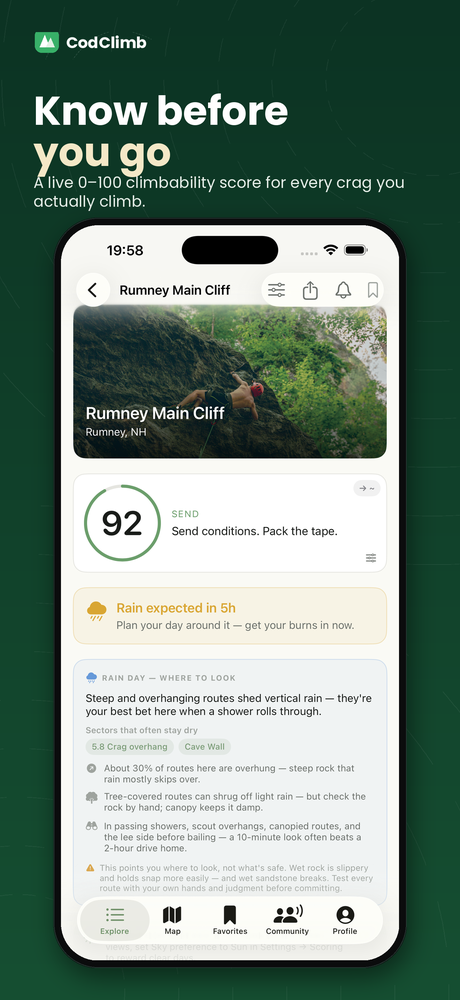
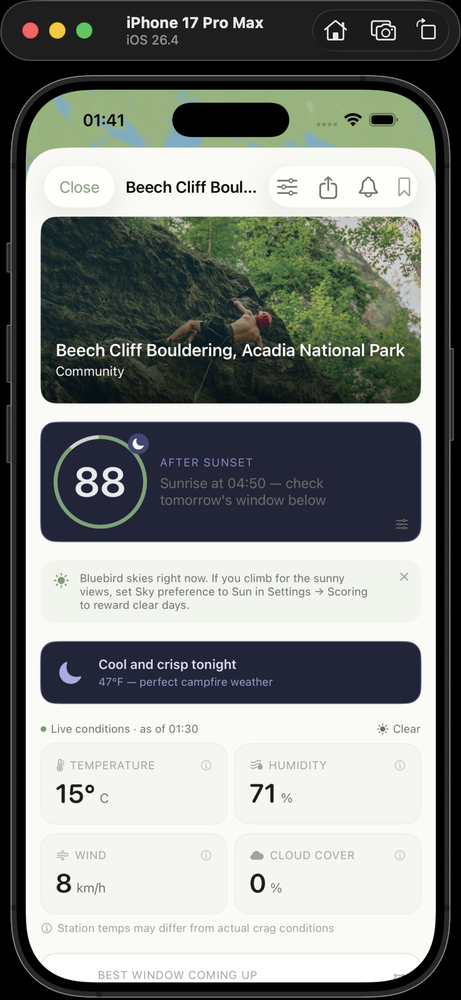
Open any crag for a live climbability score built from temperature, dryness, humidity, wind, and rain. Higher is better, and the verdict tells you whether it's worth the drive.
The score is an informational estimate from weather data, and it shifts through the day — a sunny 85 in the morning can turn to rain by afternoon. It is not advice or a recommendation to climb. A low score doesn't put a spot off-limits — you might still climb easier, well-protected, or canopy-sheltered lines that stay dry in light rain — and a high score doesn't guarantee dry rock, since a brief local shower can pass over your exact location and complex terrain can delay or hide it in the forecast. Any decision to climb, and the risks it carries, are yours alone; please rely on your own judgment.
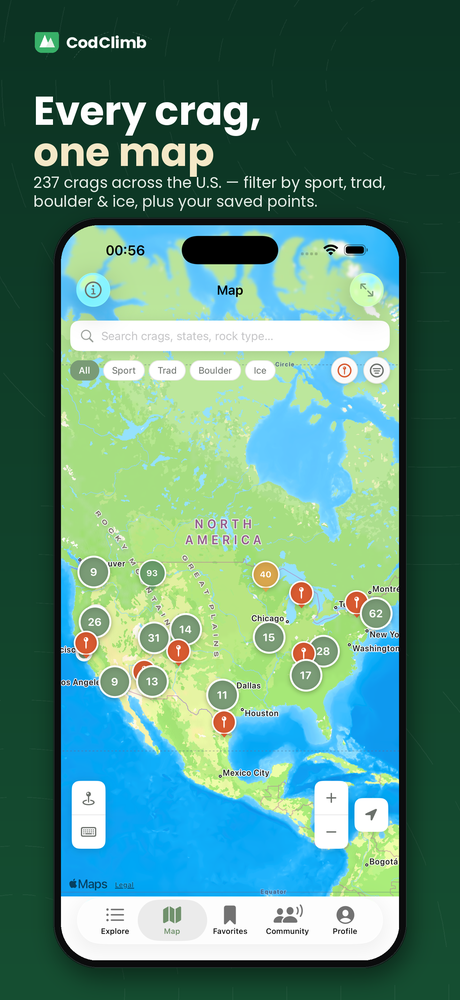
Every crag on one map
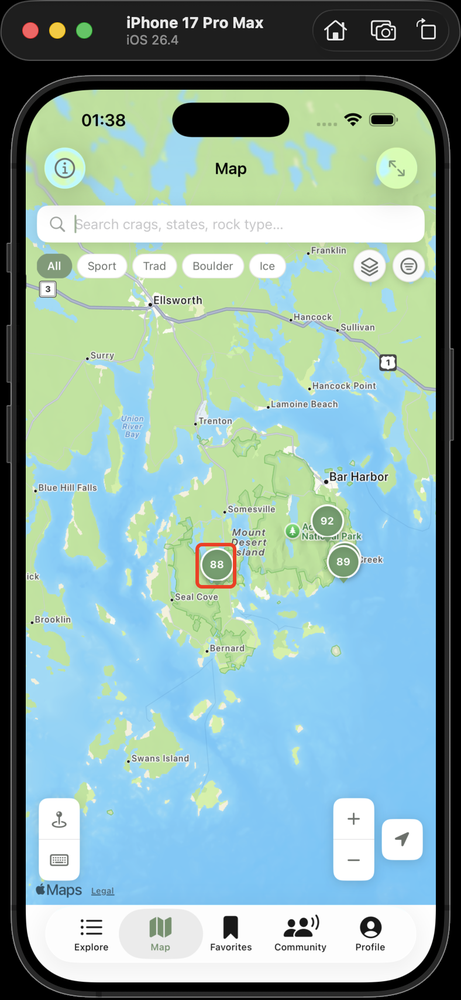
Browse the Map or Explore tab. Filter by discipline (sport, trad, boulder, ice) and rock type, or sort by “Near Me” to find what's close and dry today.
Ice is filter + conditions only — CodClimb doesn't have an ice-climbing score yet (it's still in development).
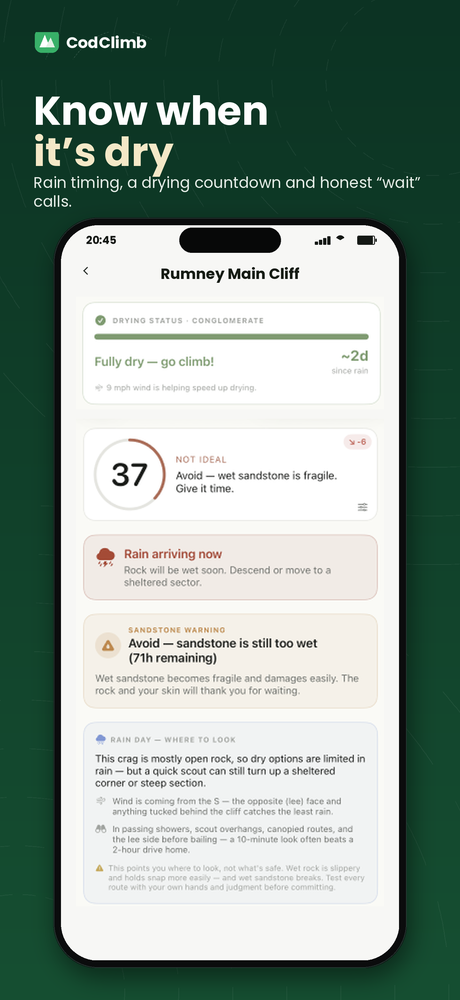
Know when it should dry out
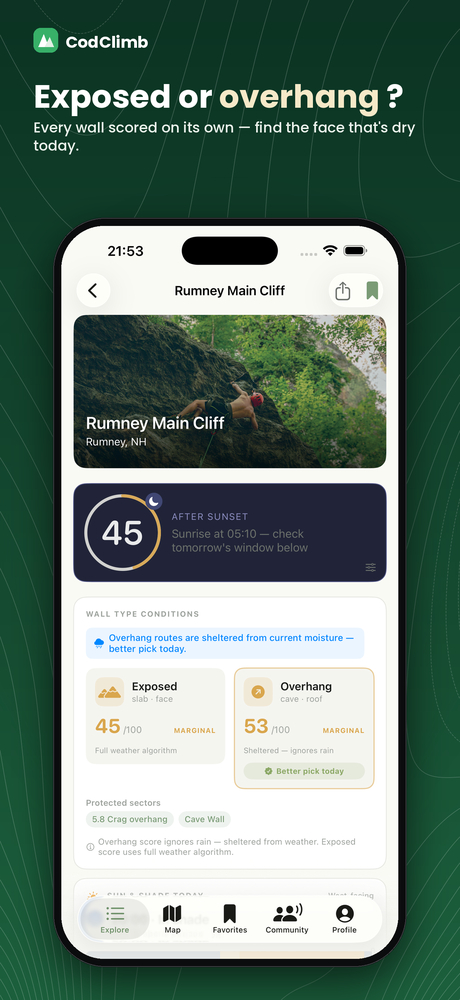
CodClimb shows when rain is coming and an estimate of roughly how long the rock should take to dry — and which crags are the better bet, because steep, overhanging rock sheds rain and often stays climbable while exposed faces soak (at Rumney, the overhangs stay dry when the open walls are wet). It's our best estimate from the data, not a guarantee — trust what you see over the forecast.
An hourly forecast you can read
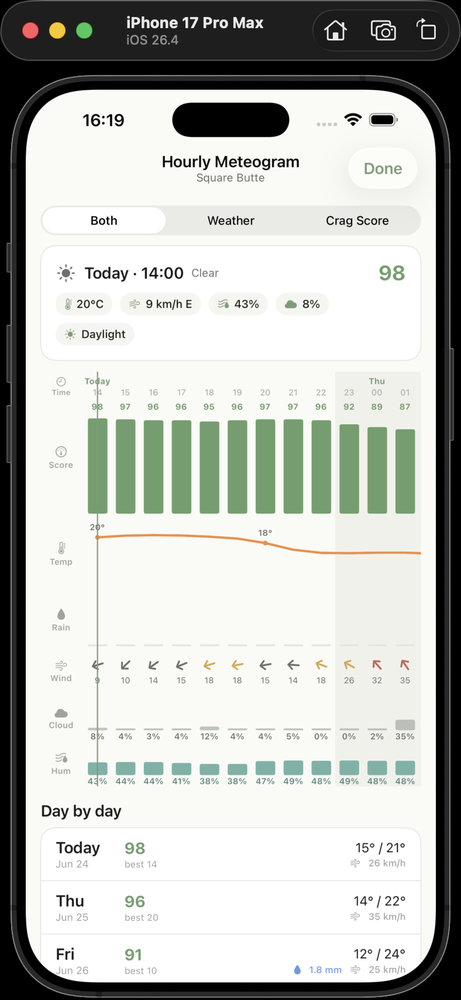
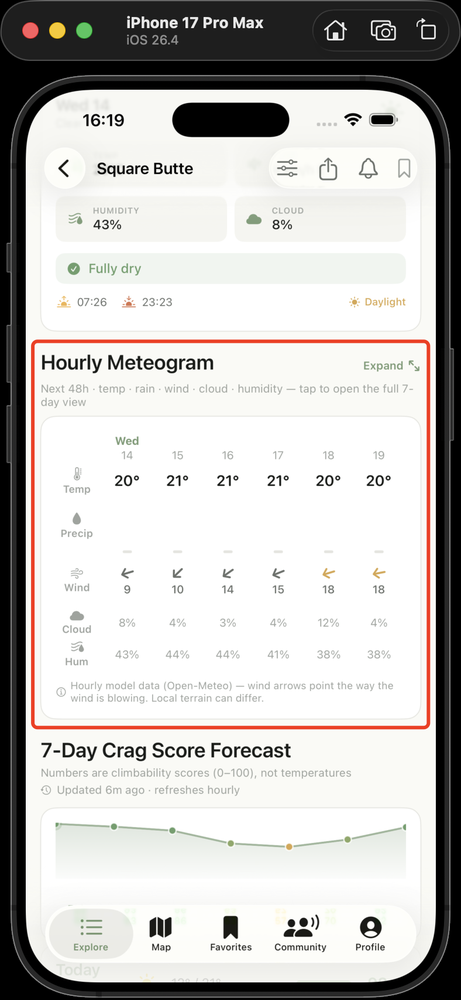
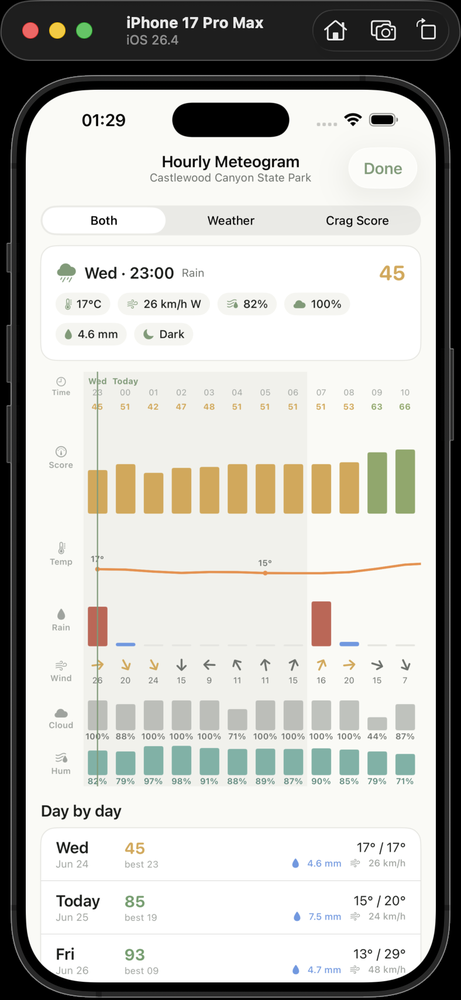
Tap into the hourly meteogram for temperature, wind, cloud, humidity, and an hour-by-hour climb score — so you can time your session for the best window of the day.
Compare crags side by side
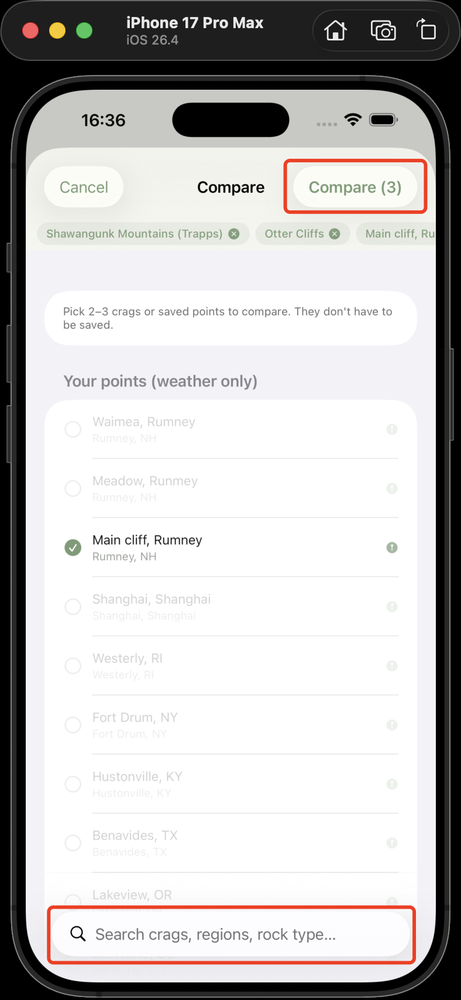
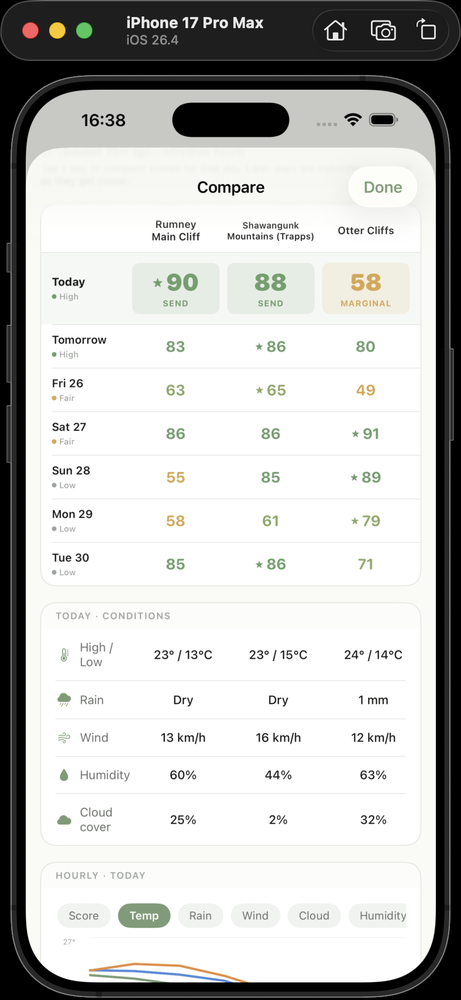
Not sure where to go? Pick two or three crags and compare their scores and weather side by side across the week. Type to search any crag — no need to favorite it first.
Forecast any spot — and suggest it as a crag
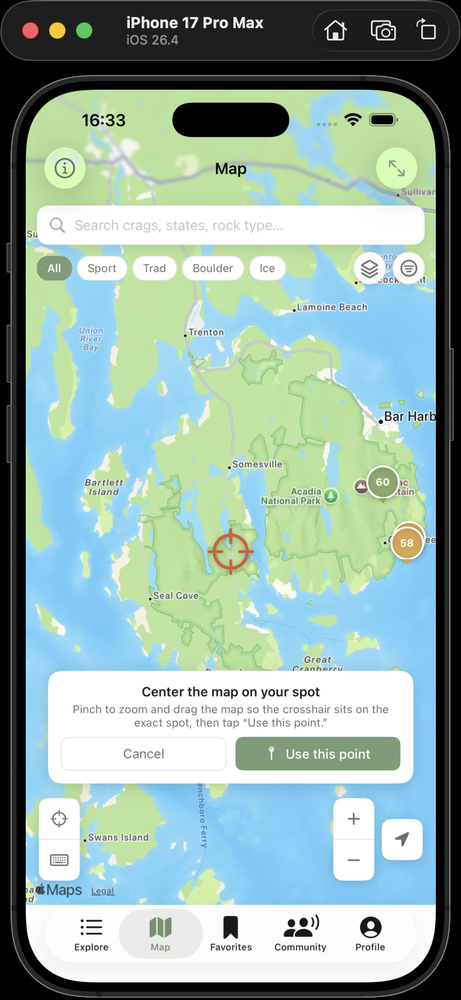
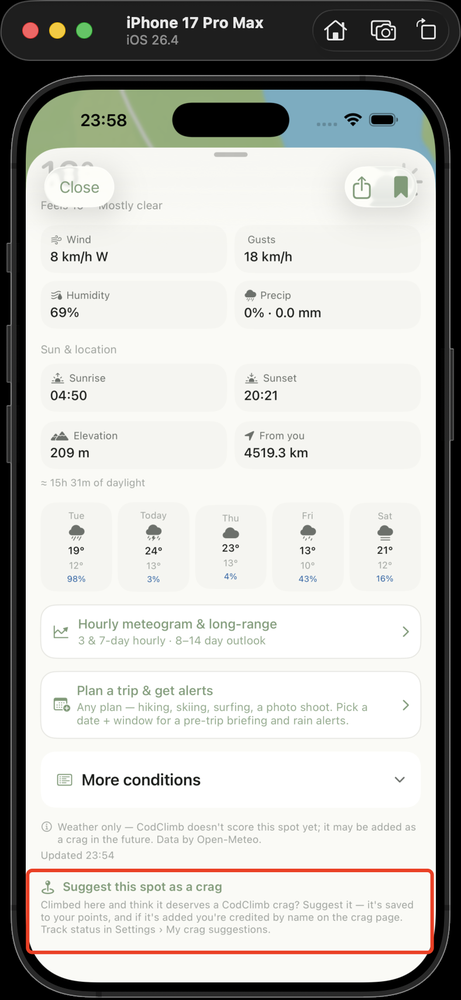
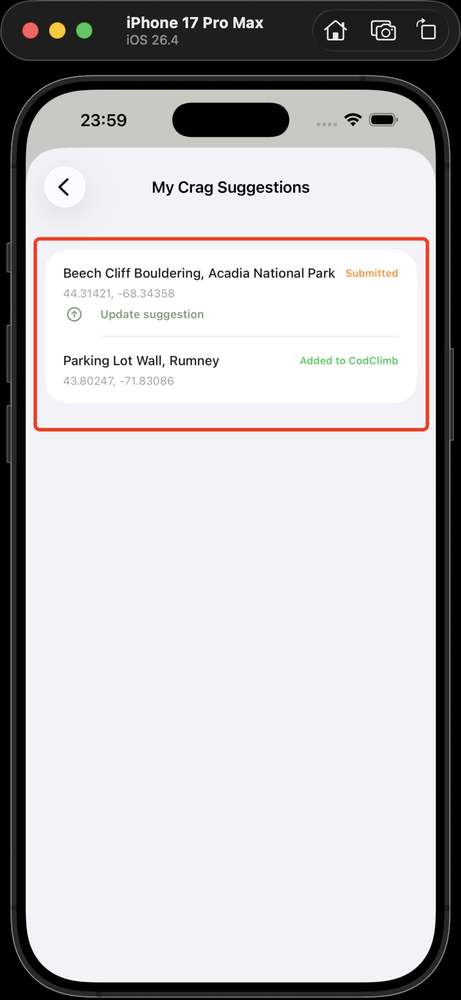
Climbing areas are huge and we're always adding more, so if you can't find your spot, long-press the map to drop a pin and get the weather for any location — weather only, no climb score. Think it deserves to be a CodClimb crag? Tap “Suggest this spot as a crag.” We review it against climbing resources for access, legality, and safety: if it checks out, it's added for the whole community; if not, you keep it as your own private weather point. Track the status in Settings → My crag suggestions.
You are responsible for deciding whether a spot is legal to access and safe to climb. CodClimb provides weather only and does not verify access, ownership, or safety — it carries no liability for any location. Always check on site and use your own judgment.
Get alerted when conditions turn good
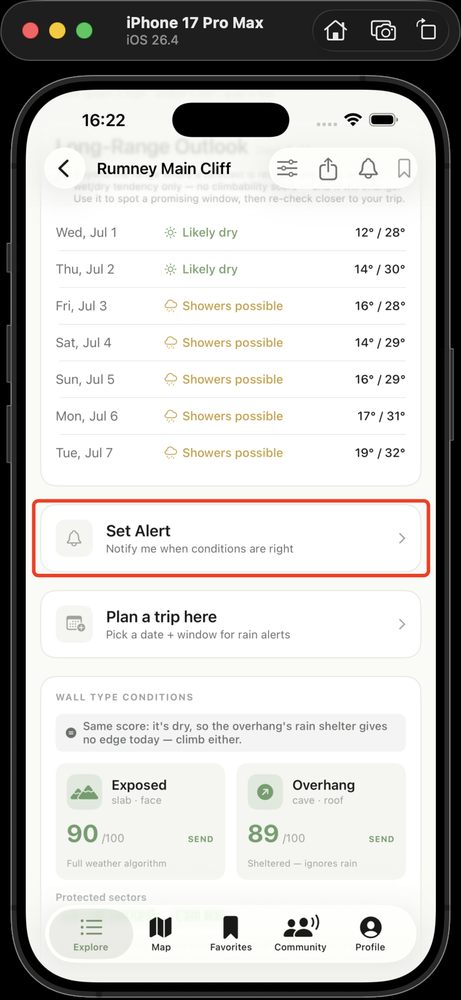
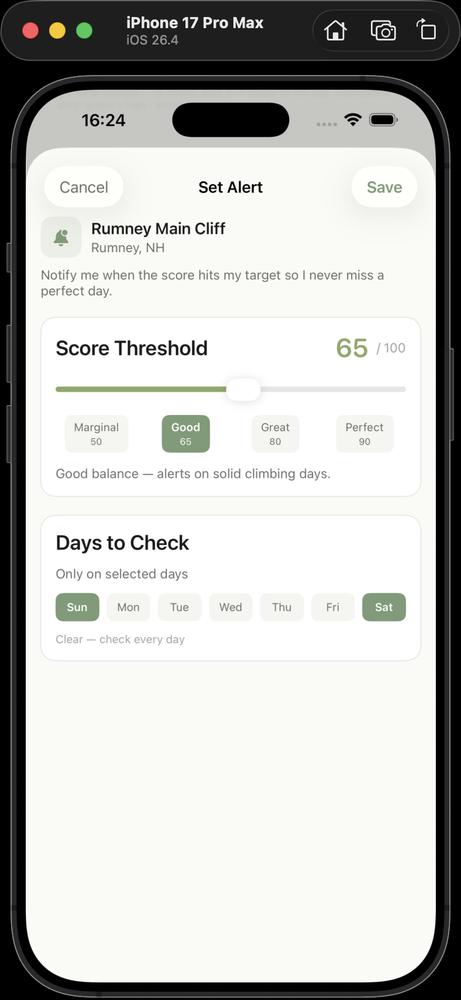
Set a score alert on a crag and CodClimb tells you when it climbs above your threshold — catch the good days without checking constantly.
Alerts arrive as notifications, so they only work if notifications are enabled for CodClimb — both in the app and in your phone's Settings → Notifications. If an alert never arrives, check that it's still set, that notification permission is granted, and that Focus / Do Not Disturb isn't silencing it.
Plan a trip, get a rain warning
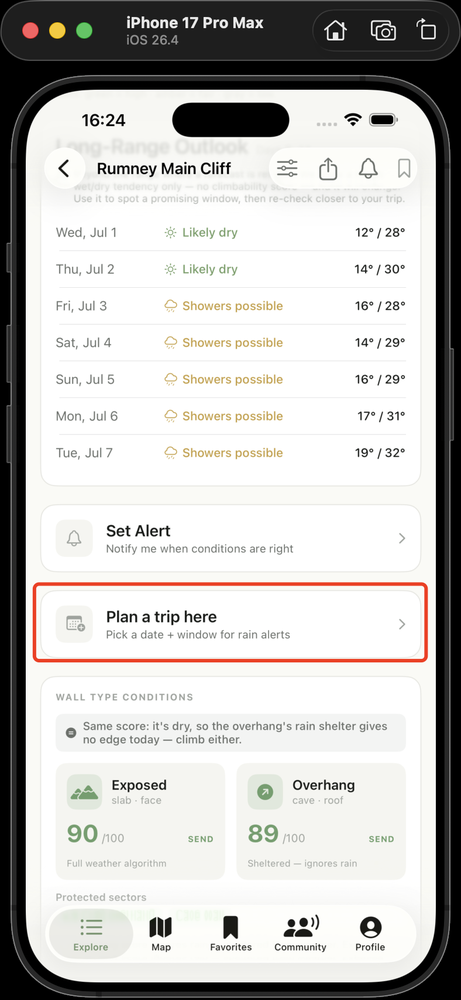
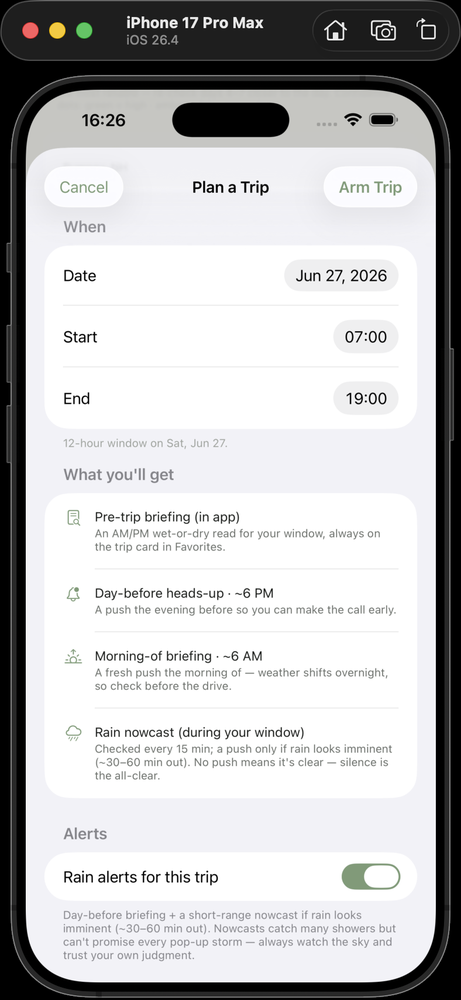
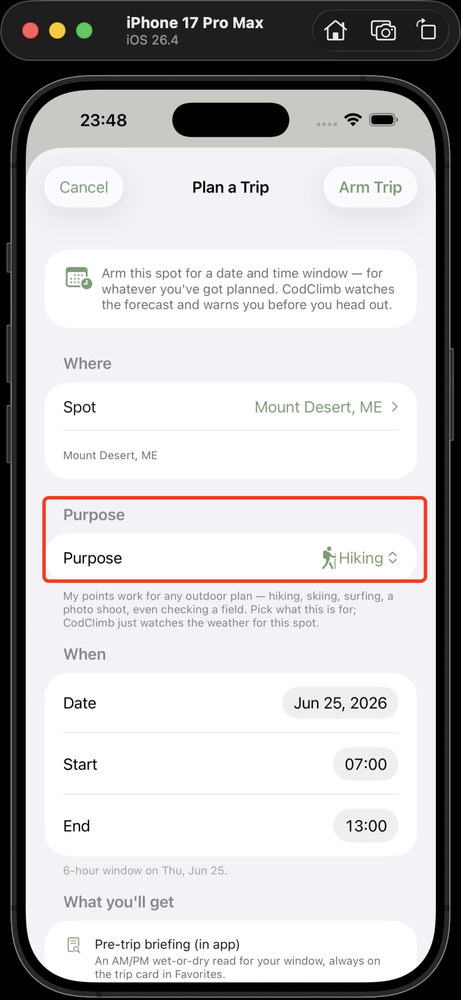
Arm a crag and a date. CodClimb sends a briefing the evening before, a morning-of update, and a heads-up if rain is moving in while you're there. It works for your saved points too — pick an activity (hiking, skiing, a photo shoot) and get the same rain timing for any spot.
Alerts are push notifications delivered over the internet (cellular or Wi-Fi). If your phone has no service — a remote crag, a dead zone, or airplane mode — alerts can't reach you in time, so a rain warning may not arrive. Check the forecast before you lose signal, and don't rely on an alert in a no-service area.
Tune the score to you
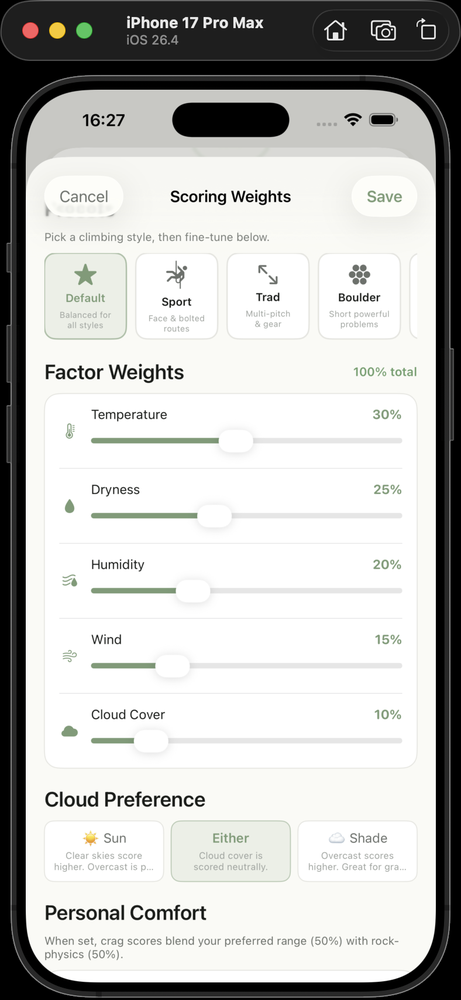
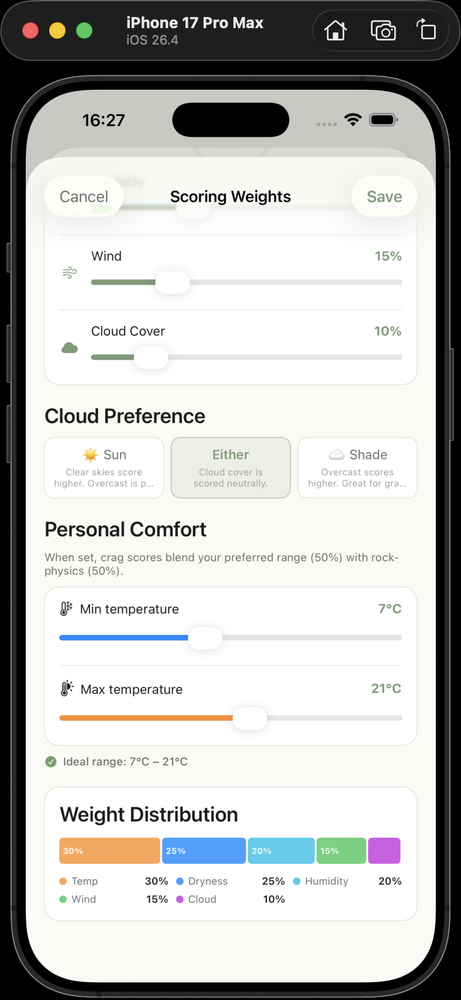
Everyone climbs differently. Adjust the scoring weights and your ideal temperature so the score reflects what good conditions mean for you.
The factor weights have to add up to 100% before you can save your custom scoring.
Real reports from real climbers
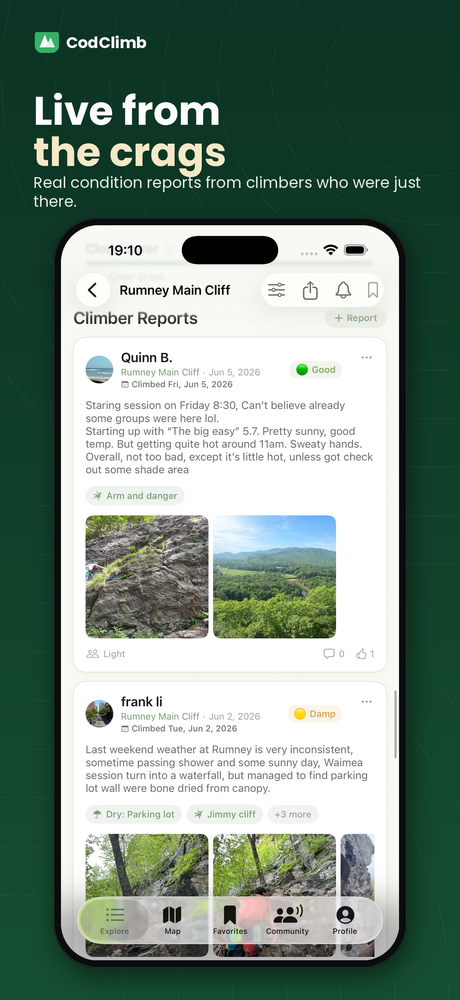
Read and post condition reports — what's actually dry, how busy it is, photos from today — and share beta, climbing experience, and tips. The forecast gives you the math; climbers give you the truth.
Connect with climbers
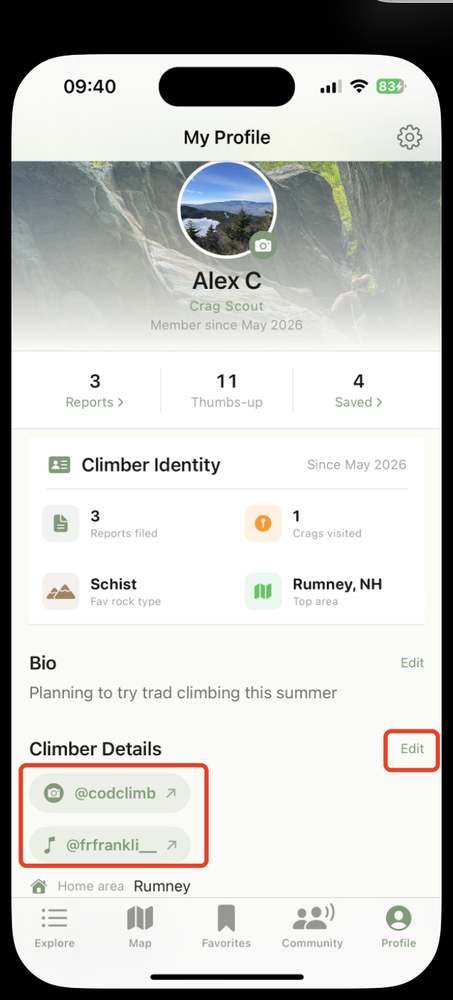
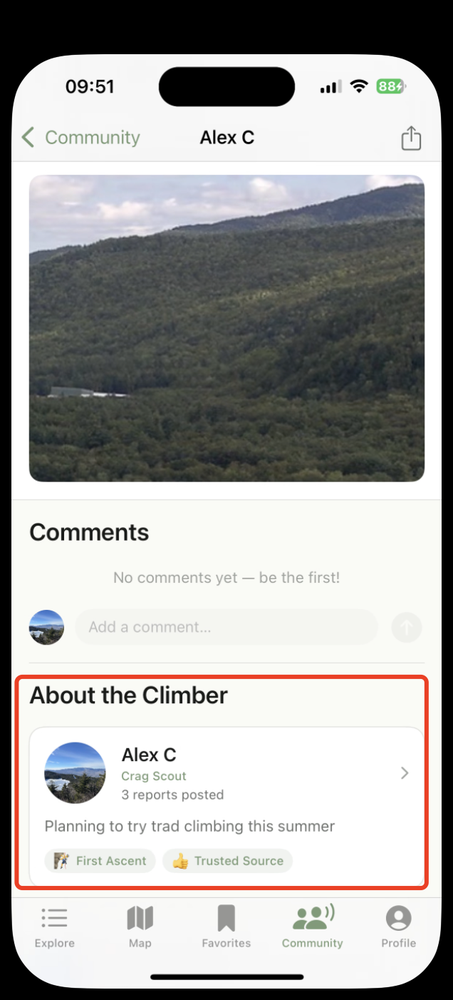
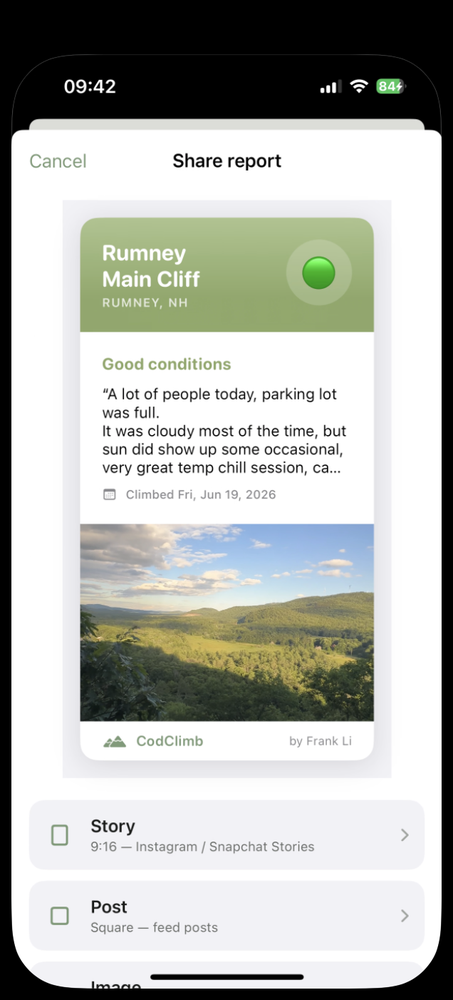
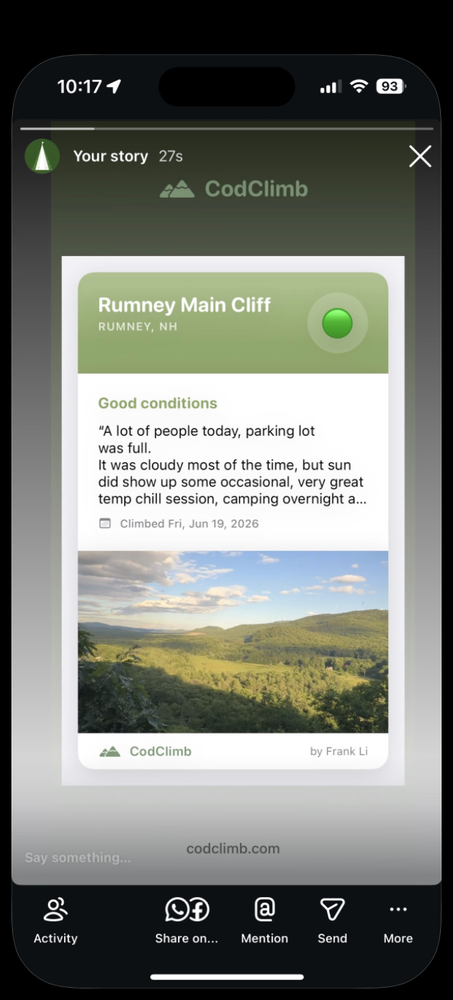
Add your Instagram and TikTok to your profile (Climber Details). Share any report to Instagram or Stories as a clean branded card. And when you tap a climber's report, their About card links to their Instagram and TikTok — so you can follow each other, swap beta, and watch each other's climbing reels across the community.
CodClimb isn't affiliated with Instagram, TikTok, or any platform — those links open at your own discretion. Connecting is social only: CodClimb doesn't verify anyone's identity, climbing ability, or belaying and safety skills, so vet any partner yourself and stay responsible for your own safety. Keep it real, too — abusive, harassing, fraudulent, or misleading content (including AI-generated media passed off as real) breaks our community standards and can lead to content removal, suspension, or a ban.
Part 2 · CodClimb Snow
new · open to everyoneCodClimb Snow is free for everyone on iPhone and Android. There's no invite code and nothing to request. It's new, and snow is modeled from a free weather model (Open-Meteo), so treat every number as a best-effort read. Tell us what to fix.
One tap from climbing to skiing
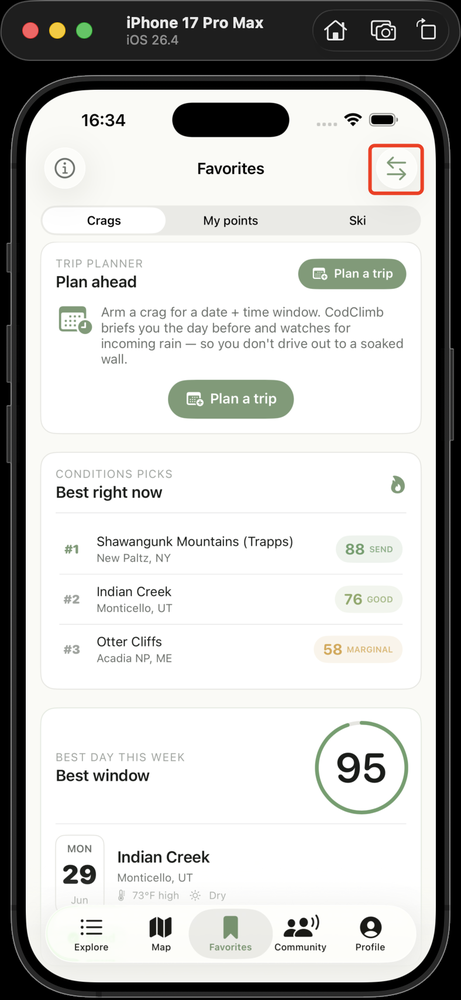
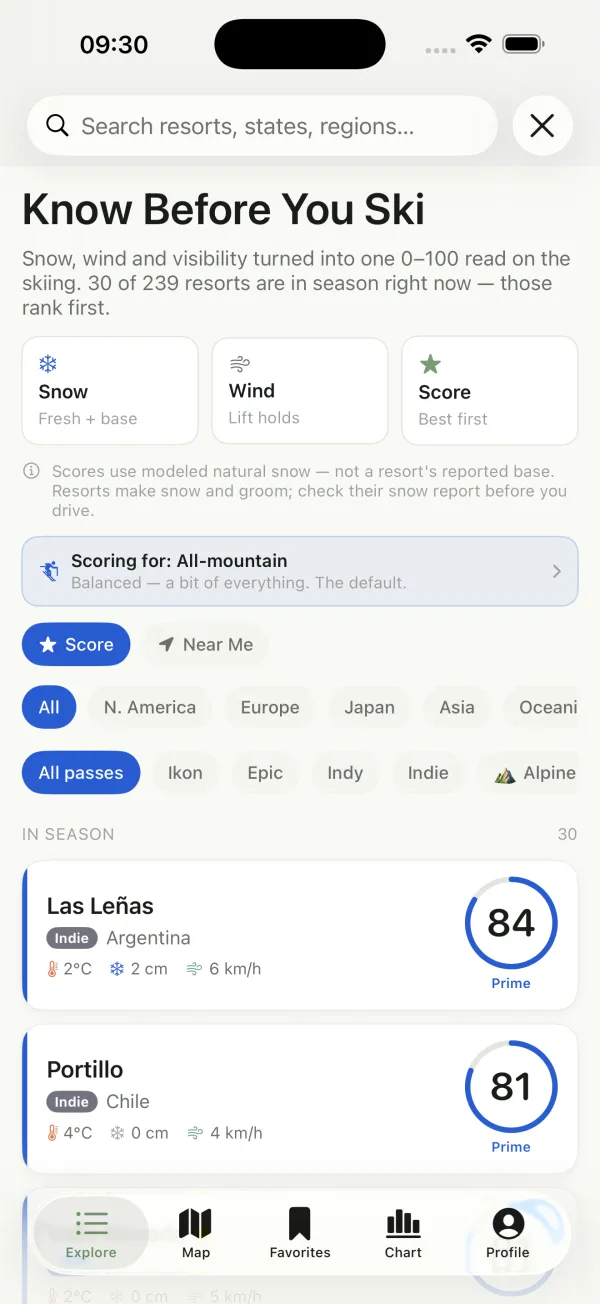
Tap the skier in the two-icon switch at the top-left of the screen and CodClimb becomes CodClimb Snow. You keep the same Explore, Map, Favorites, Chart and Profile tabs, now for ski resorts. Tap the climber to switch back. Explore ranks 230+ resorts worldwide by snow score with in-season resorts first, and you can filter by region or by pass (Ikon, Epic, Indy, independent).
You don't need a code or an access request any more. A short tour plays the first time you switch to Snow, and you can replay it anytime from Settings ▸ About.
Every resort gets a 0–100 snow score
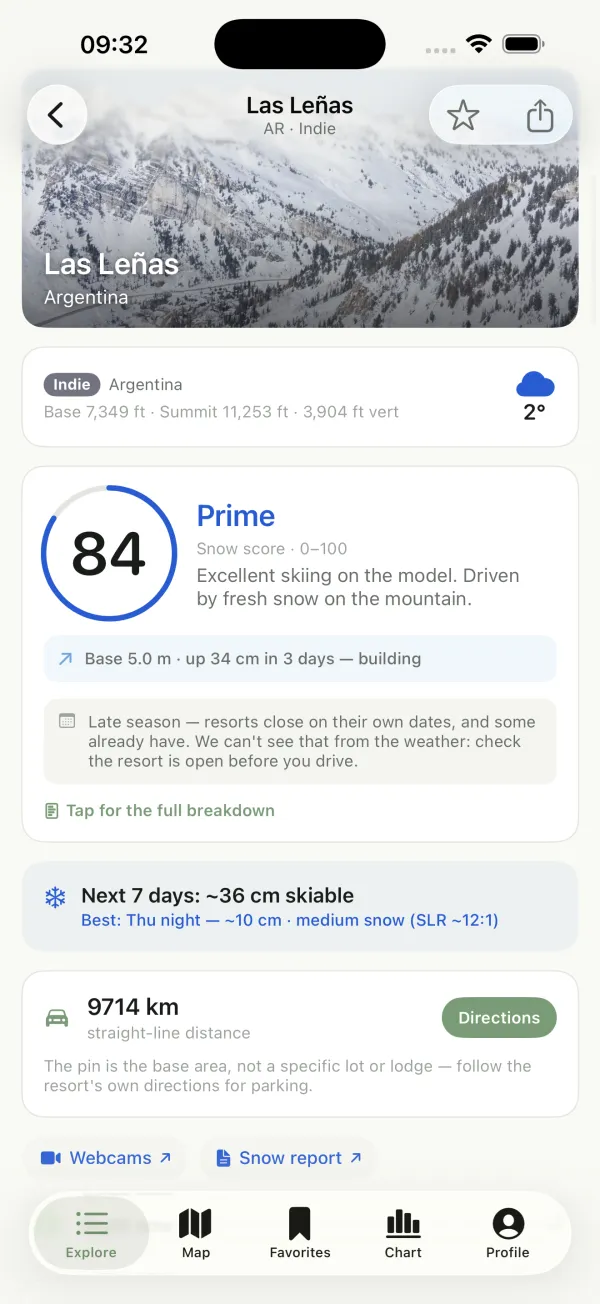
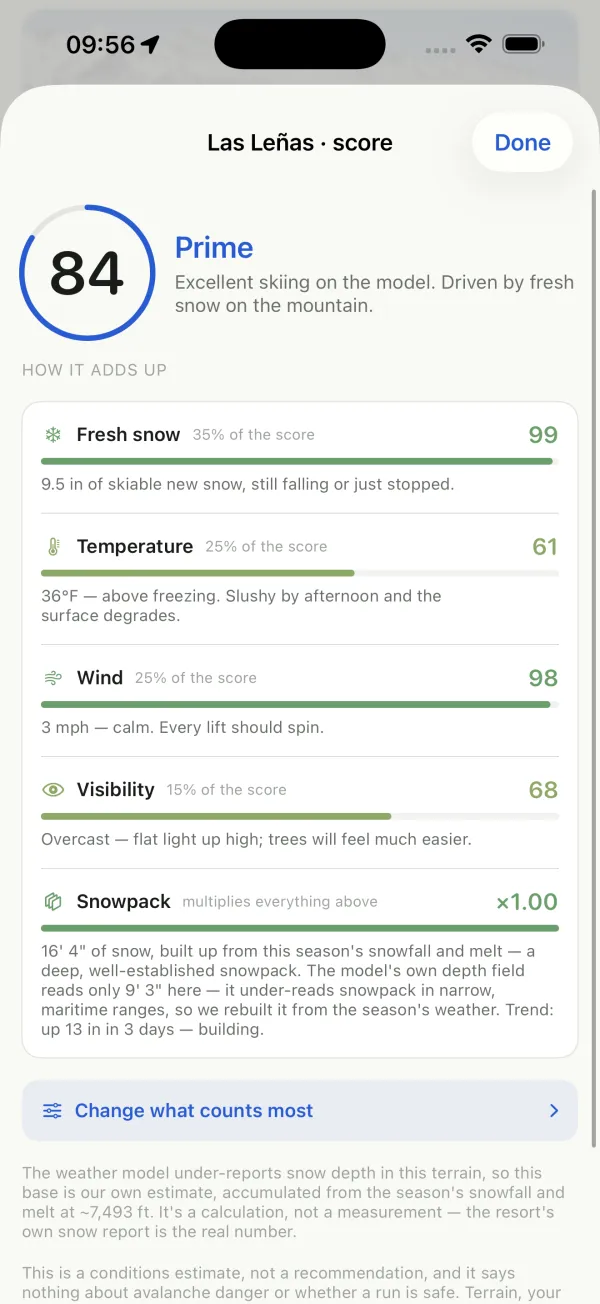
Open any resort for its live snow score and verdict: Prime (80+), Great, Good, Marginal or Poor. The score is built from fresh snow (35%), temperature (25%), wind (25%) and visibility (15%), then multiplied by the snowpack, so a bare mountain can't score well on a nice day. Tap “Tap for the full breakdown” to see what each factor adds, in plain English.
Scores use modeled natural snow, not the resort's reported base. Resorts make snow and groom, and the model can under-read deep snowpacks, so check the resort's own snow report before you drive. The score is a conditions estimate, not a recommendation, and it says nothing about avalanche danger or whether a run is safe.
Pick a rider profile
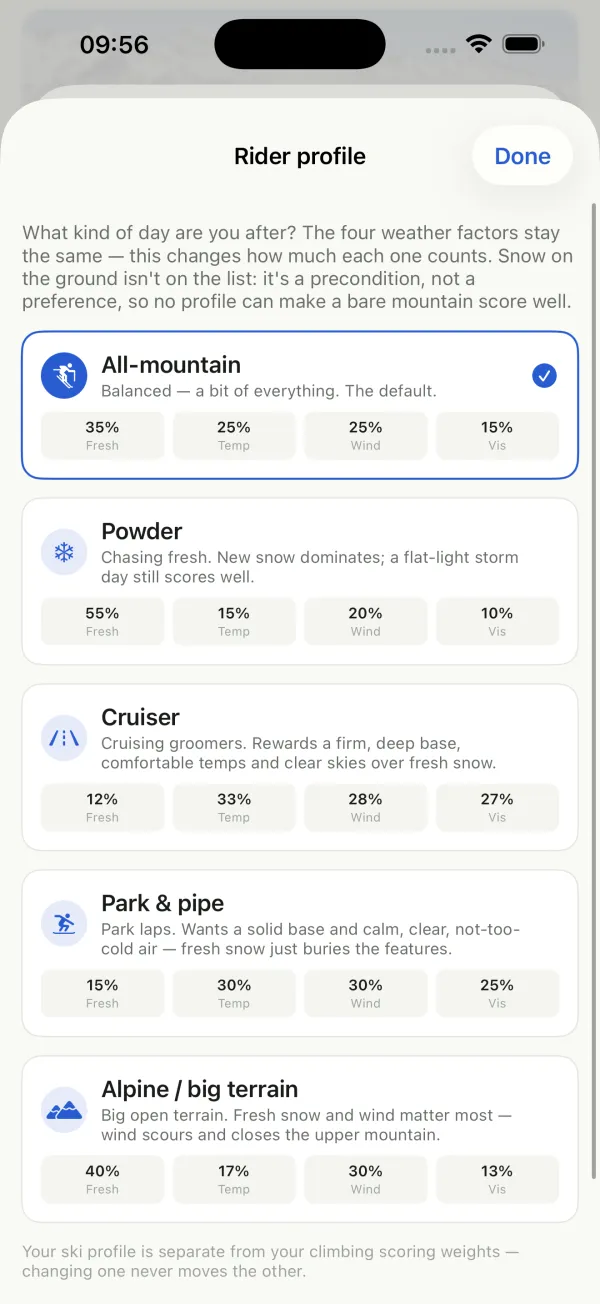
What kind of day are you after? Choose All-mountain (the default), Powder, Cruiser, Park & pipe, or Alpine / big terrain. Each profile changes how much fresh snow, temperature, wind and visibility count. Snow on the ground isn't on the list: it's a precondition, not a preference. Tap “Scoring for” at the top of Explore, or “Change what counts most” under a score breakdown.
Your ski profile is separate from your climbing scoring weights. Changing one never moves the other.
Plan the week, find the powder day
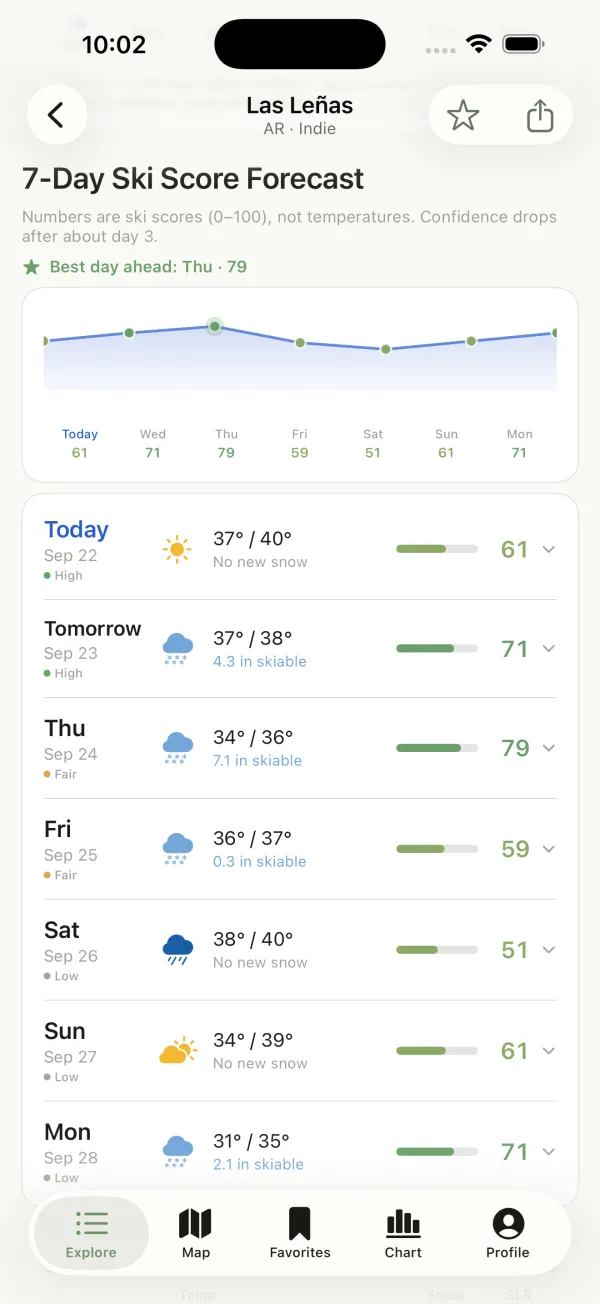
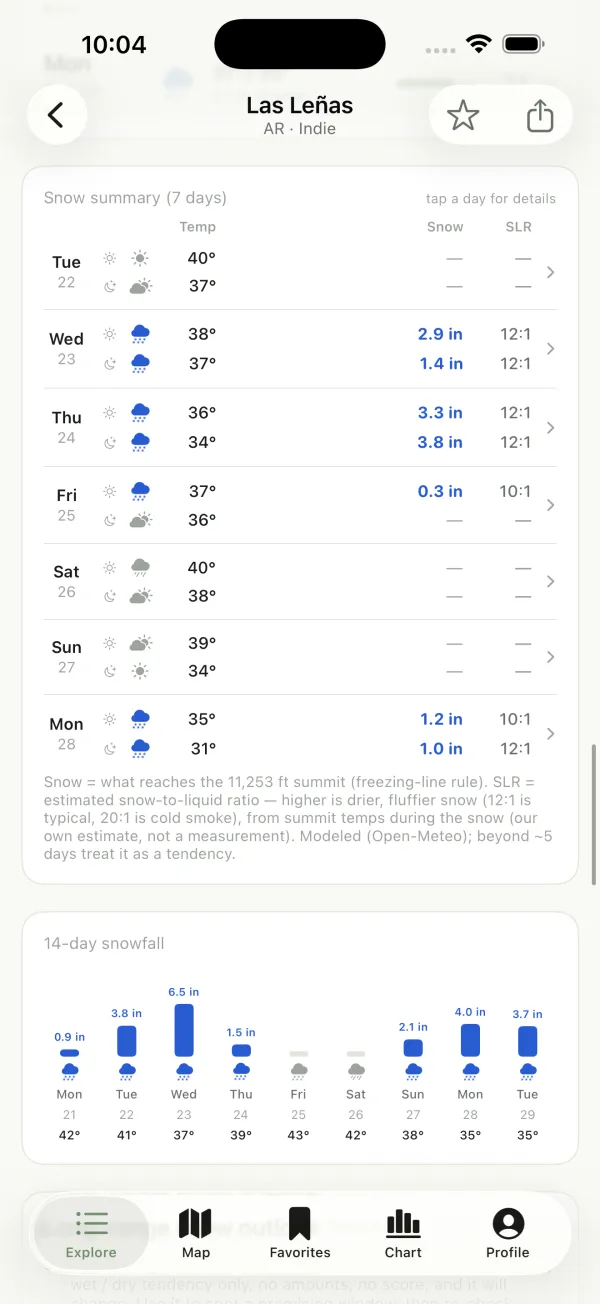
The 7-day ski score forecast charts the week and calls out the best day ahead. Tap any day to expand it. Below that, the snow summary splits each day into day and night, with the snow that reaches the summit and the snow-to-liquid ratio (SLR). A higher SLR means drier, fluffier snow. A 14-day snowfall chart shows what's further out.
Confidence drops after about day 3, and each day carries a High / Fair / Low dot. Beyond about 5 days, treat snow amounts as a tendency, not a number.
Time your day on the hill
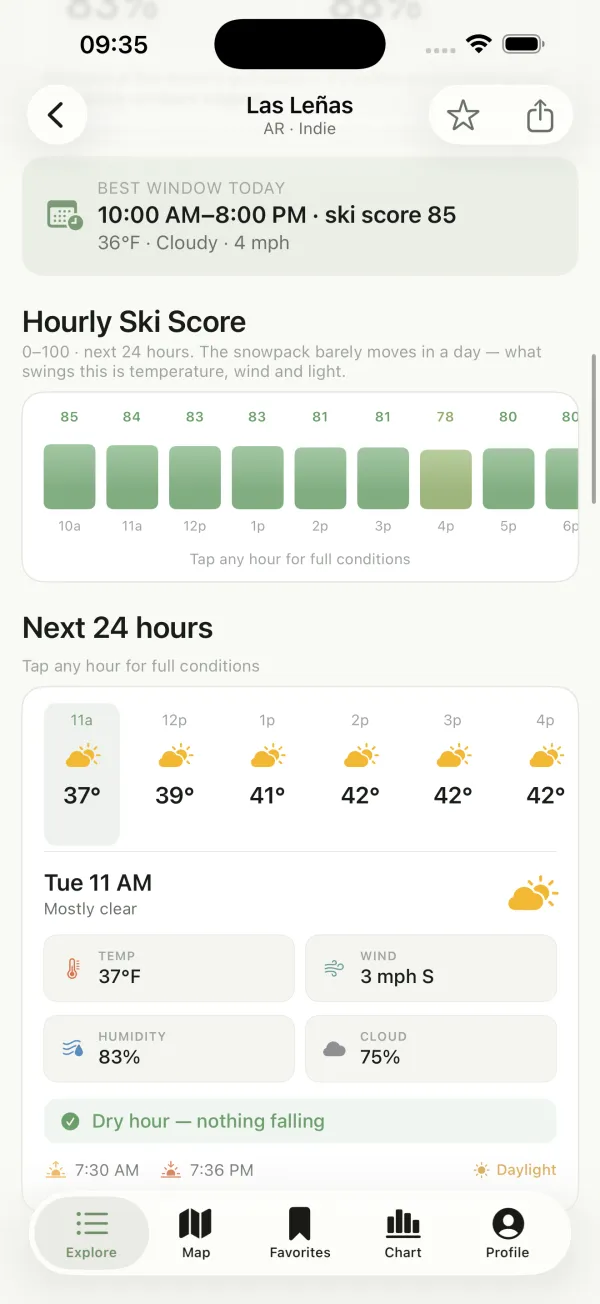
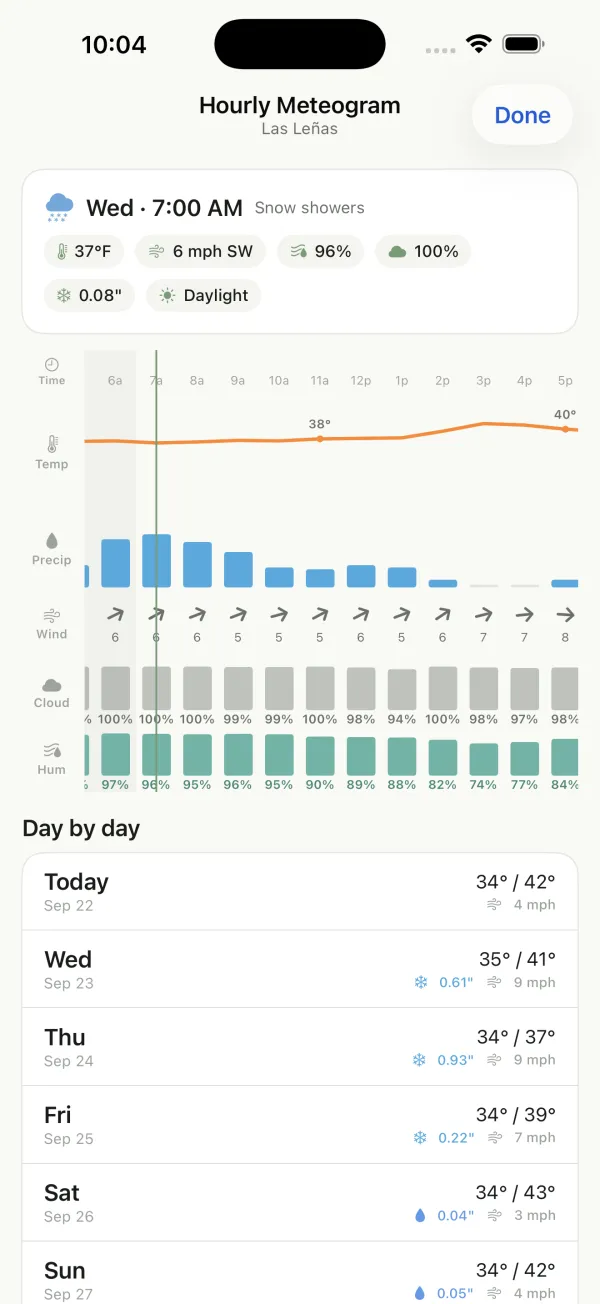
See today's best window and an hourly ski score for the next 24 hours. The snowpack barely moves in a day, so what swings the score is temperature, wind and light. Tap any hour for full conditions, or open the hourly meteogram to see temperature, precipitation, wind, cloud and humidity together.
Snow up high, rain down low?
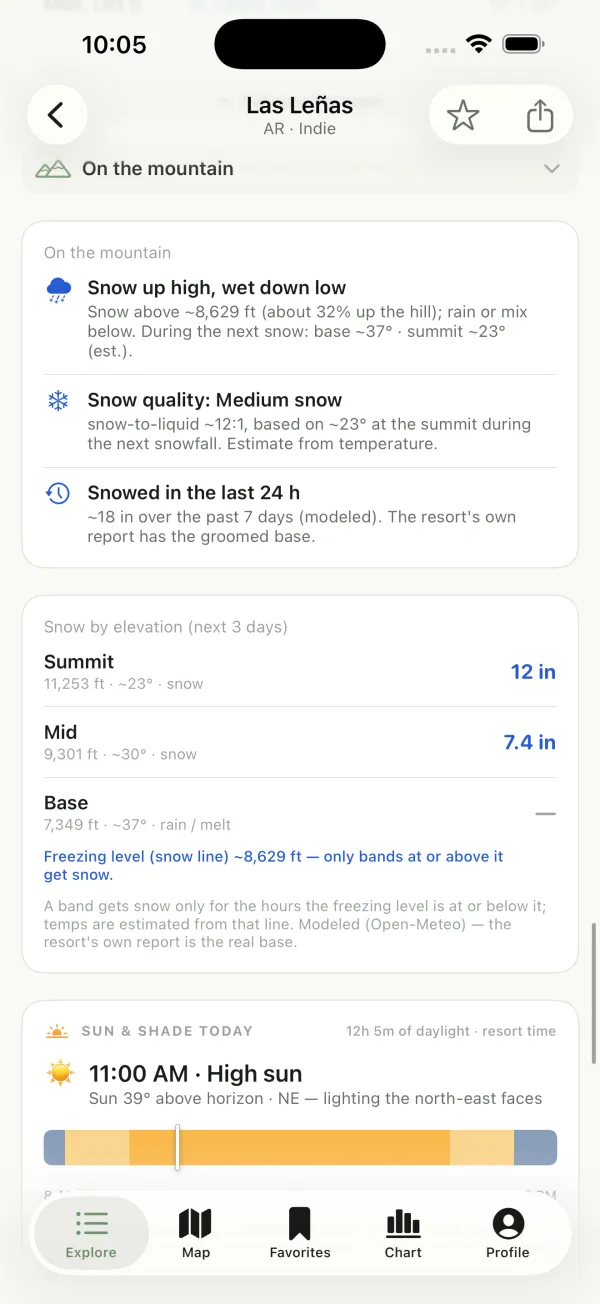
“On the mountain” shows where the snow line (freezing level) sits and what that means, such as snow at the summit and rain or mix at the base. It also shows the expected snow quality and what fell recently. Snow by elevation splits the next 3 days into summit, mid and base, and Sun & shade shows which faces the sun is lighting right now.
Find the snow on the map
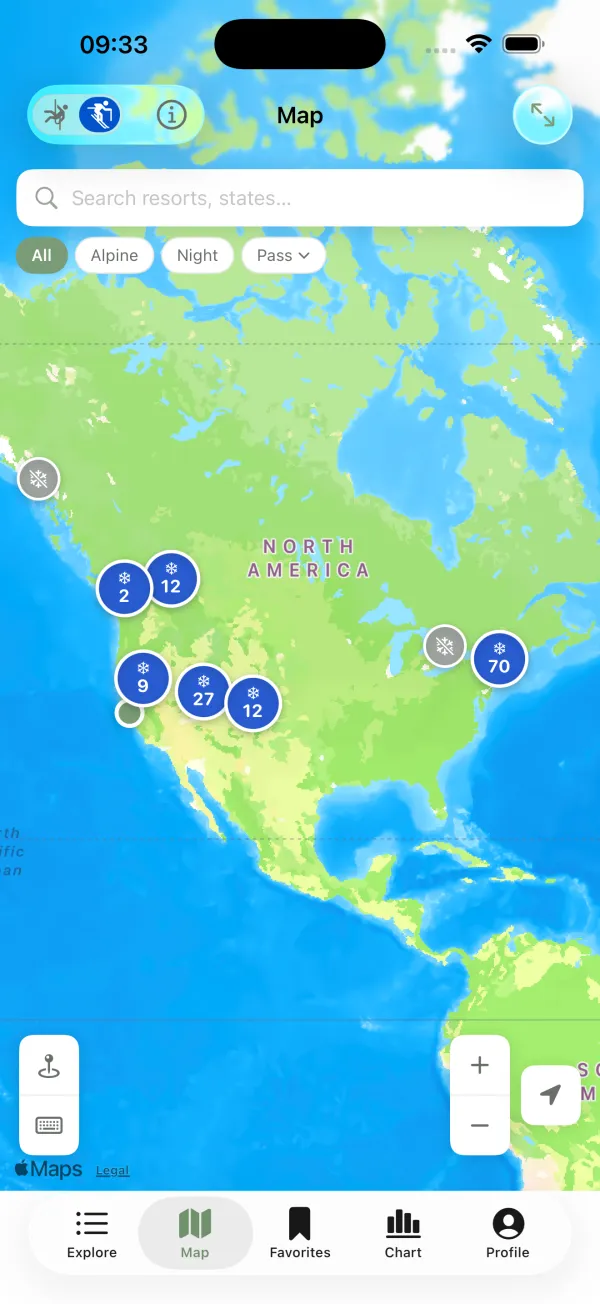
In Snow mode, the Map tab shows every resort. Zoomed out, resorts group into bubbles; tap one to zoom in, then tap a resort for its snow outlook. Filter for alpine terrain, night skiing or your pass.
Star resorts, get powder alerts
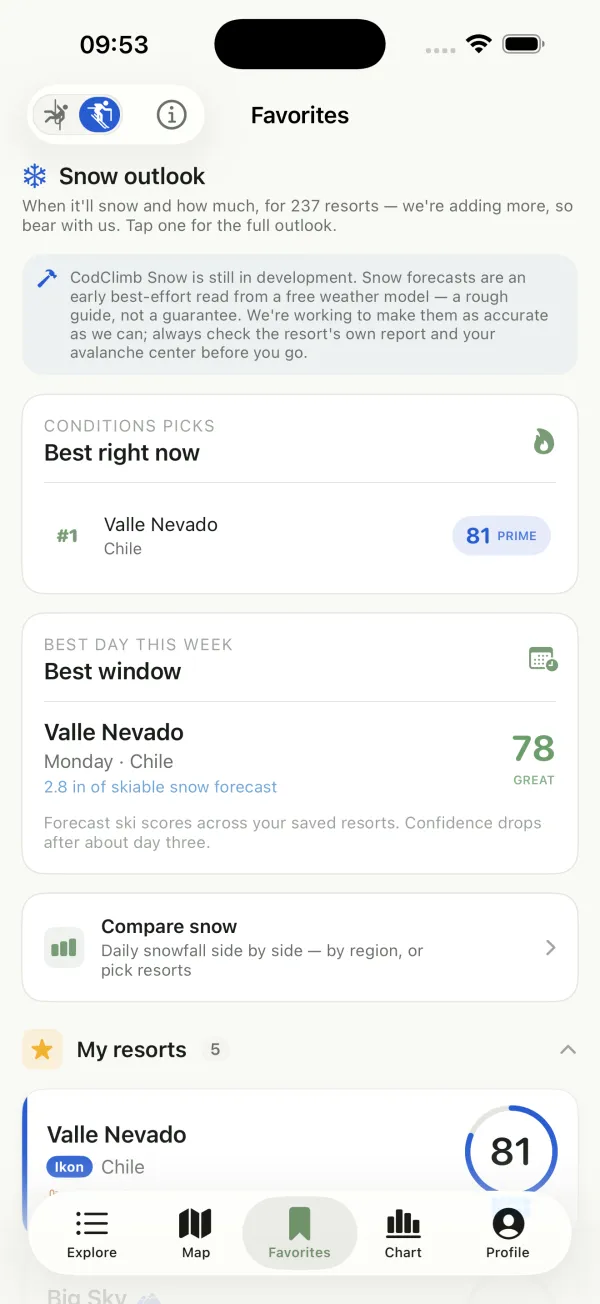
Star a resort to keep it in Favorites, where you'll see the best resort right now and the best day this week across everything you've saved. Arm a powder alert on a resort's page to get a push when your amount of new snow is forecast. Manage your alerts anytime under Snow alerts.
Powder alerts arrive as push notifications, so they only work when notifications are on for CodClimb and your phone has signal.
What fell, and what's coming
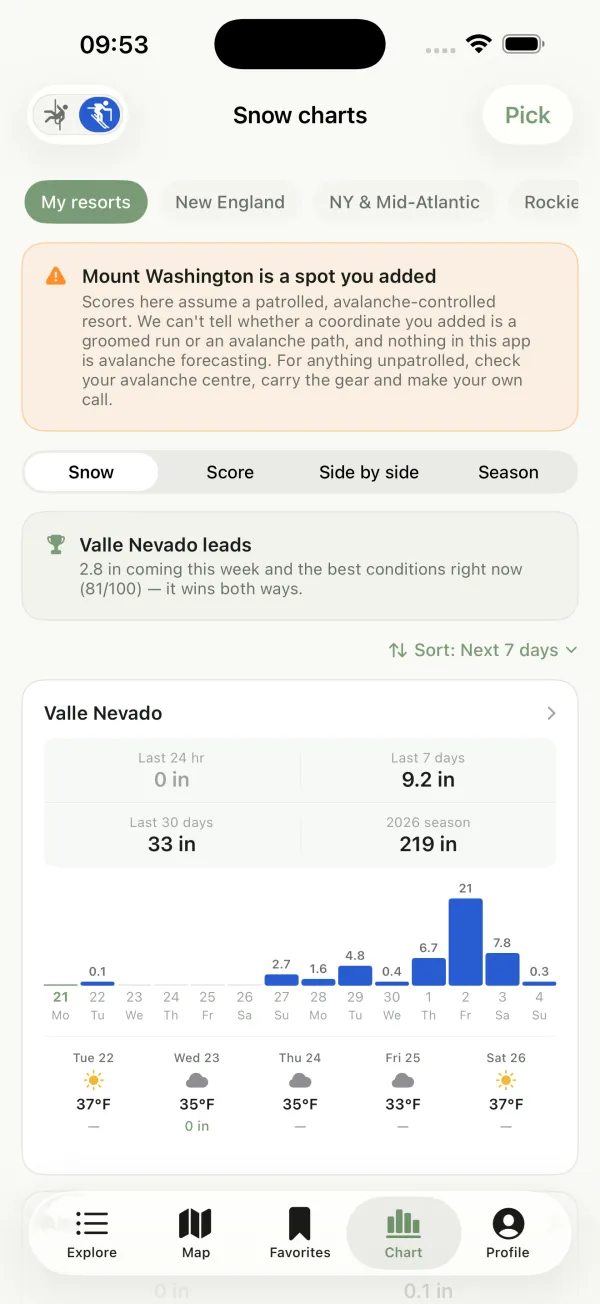
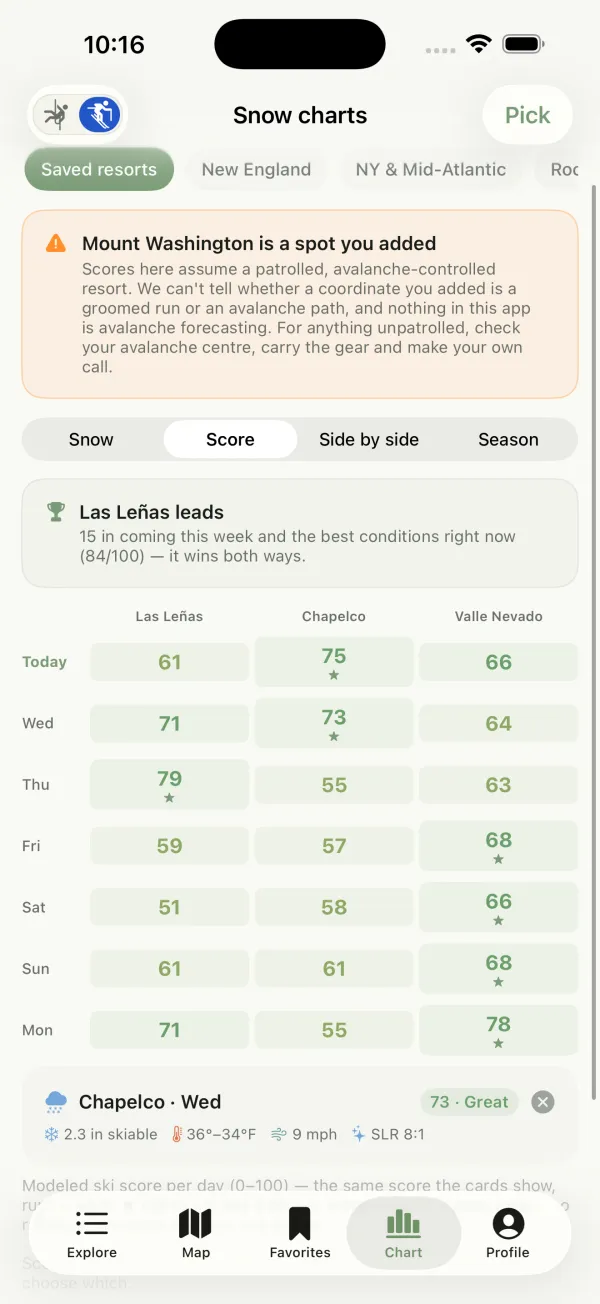
The Chart tab (“Snow charts”) lines up your saved resorts, or a whole region, with snowfall over the last 24 hours, 7 days, 30 days and the season so far, plus daily snowfall bars and the next five days. Switch to Score for a day-by-day score grid (tap any cell for that day's weather), or Season for ten seasons of history. Sort by whatever matters to you.
A spot you add yourself is scored as if it were a patrolled, avalanche-controlled resort. CodClimb can't tell a groomed run from an avalanche path, and nothing in the app is avalanche forecasting. For anything unpatrolled, check your avalanche center, carry the gear and make your own call.
Compare resorts side by side
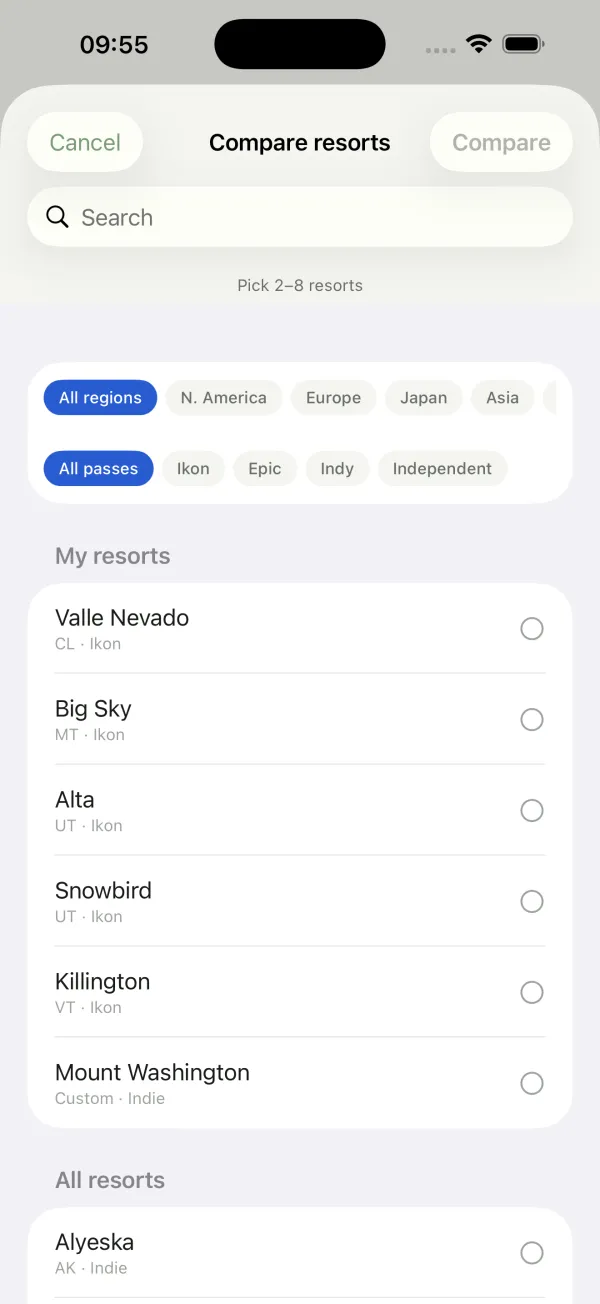
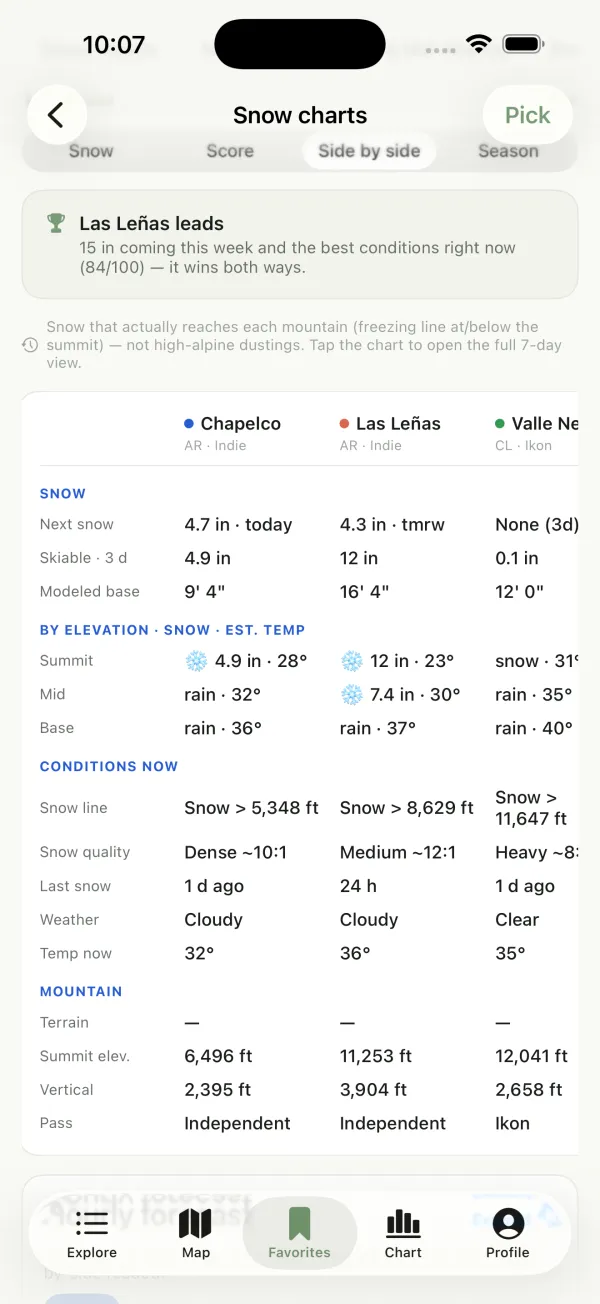
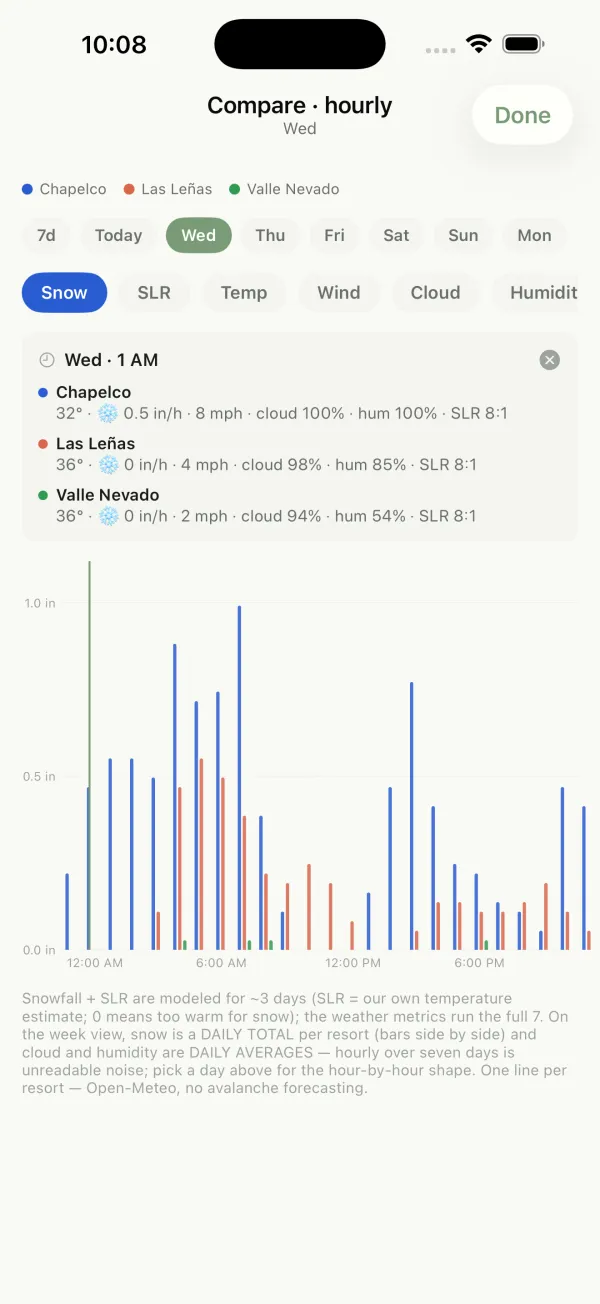
Tap Pick to choose 2–8 resorts, filtered by region and pass. Side by side lines them up on next snow, skiable snow, modeled base, snow and temperature at summit, mid and base, snow line, snow quality, last snow and each mountain's stats, and names the leader. Tap the chart to open an hour-by-hour view of snow, SLR, temperature, wind, cloud and humidity.
- Be honest — report what you actually saw.
- Respect access — follow closures, land rules, and local ethics.
- Be kind — no harassment, hate, or spam.
- Keep it real — no misleading content, and no AI-generated media passed off as real.
- Climb your own climb — vet your own partners; CodClimb doesn't verify anyone's identity or skills.
Breaking these can mean content removal, suspension, or a ban. Appeal: codclimb@outlook.com.
A forecast, not a guarantee. CodClimb's scores come from weather models (Open-Meteo) plus community reports — predictions that can differ from reality and change fast, especially in mountain terrain where elevation, aspect, and local microclimates make weather hard to forecast — brief local showers can pass without warning, and complex terrain can make the forecast lag. Don't rely on CodClimb alone: always check conditions on site, use your own judgment, and climb and ski within your limits. Ice climbing is filter + conditions only (no score yet). CodClimb Snow scores modeled natural snow: it isn't the resort's snow report and it isn't avalanche guidance.